

Customer-specific visibility
Choose access manually or use Linear label rules to show each customer the relevant issues and projects.
Import selected Linear issues and projects, share a public roadmap with customers, and keep progress updated from Linear. Customers do not need a Linear account.
Built for teams working in Linear

What it does
Feedvote adds a customer-facing feedback portal and public roadmap to Linear. Customers can submit and vote on requests, your team can turn approved feedback into Linear issues, and selected Linear issues or projects sync back to the right customer without exposing your internal workspace.
Choose access manually or use Linear label rules to show each customer the relevant issues and projects.
Approved client requests can become Linear issues with the context your team needs.
Customers follow roadmap progress in Feedvote without a Linear seat or access to your internal workspace.
Linear updates keep Feedvote posts, roadmap cards, and changelog context current.
setup guide
Start with a Feedvote board, authorize Linear, then decide which work should become visible to clients.
Set up a branded feedback portal for a product, client, or account.
Open Settings, choose Integrations, and connect your Linear workspace with OAuth.
Choose the teams, projects, and labels to import. New items are public by default, ready to share. Restrict individual items to your team or specific customers when needed.
linear workflow
Keep Linear as your internal source of truth while Feedvote handles the client-facing feedback loop.
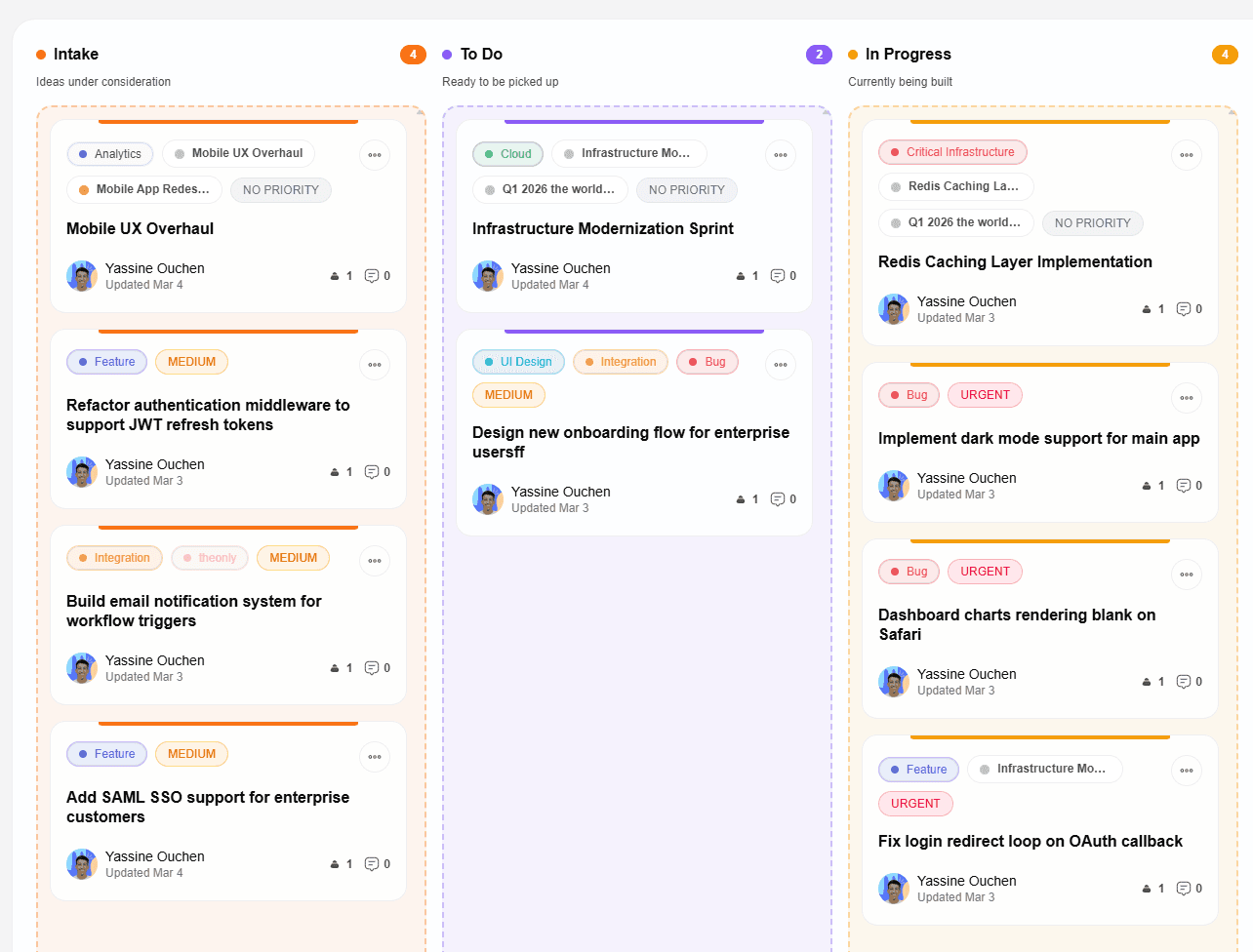
Step 1 · roadmap
Choose which issues and projects should be visible, then give clients a polished roadmap they can check anytime.
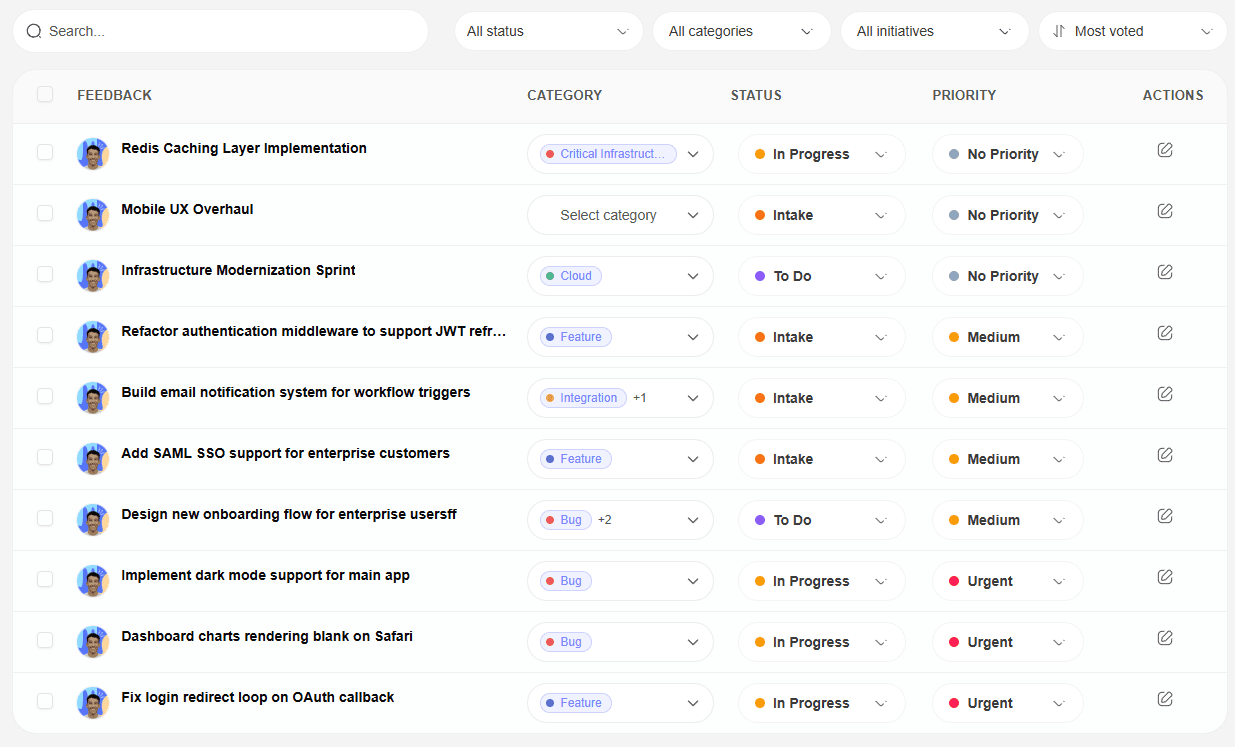
Step 2 · feedback sync
Clients submit requests in Feedvote. Your team moderates, prioritizes by votes, and sends accepted requests to Linear.
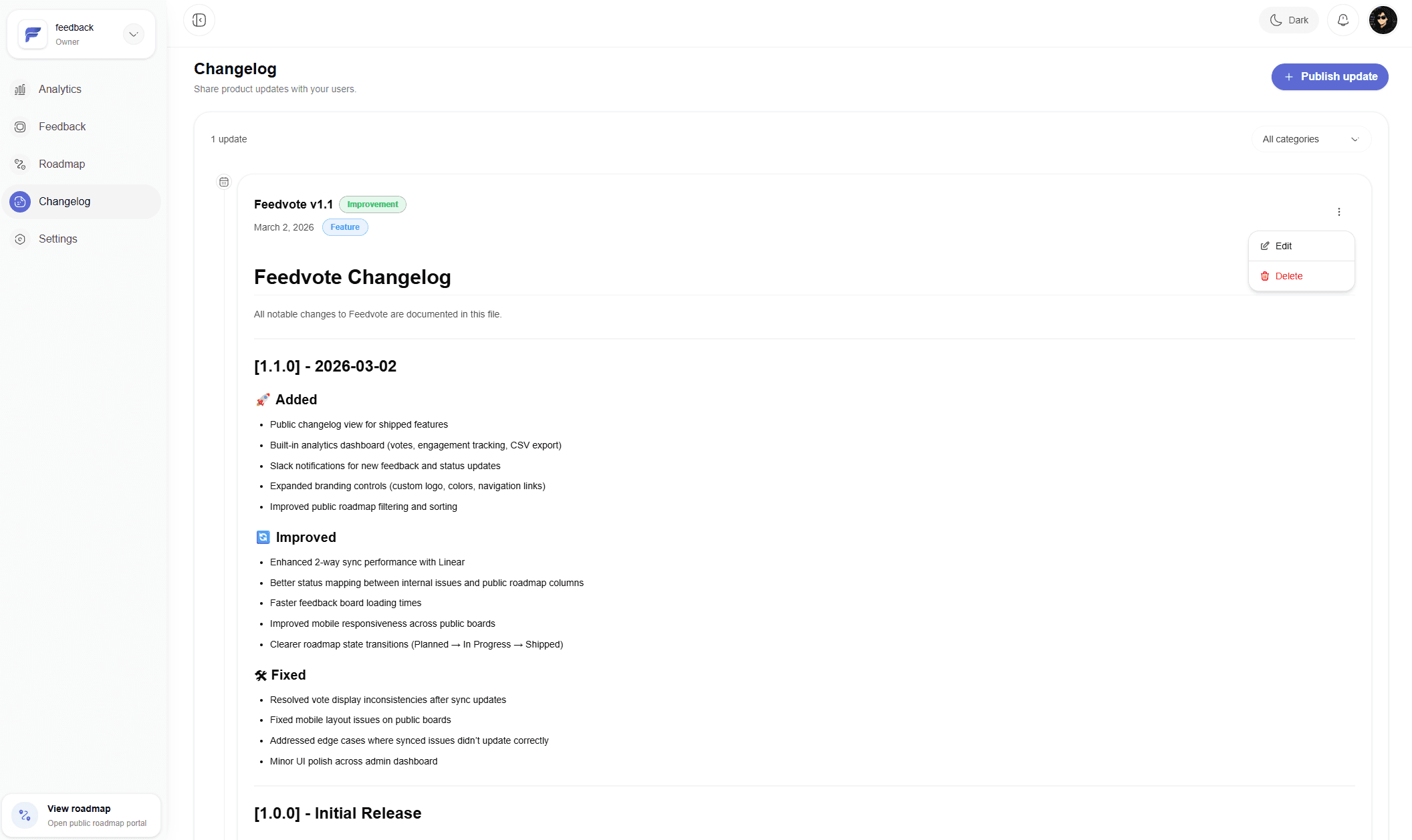
Step 3 · close the loop
When work moves in Linear, Feedvote helps clients see progress and get updates without asking your team for status.
Linear resource hub
Start with the workflow you want to build, then configure visibility and publishing controls or compare Feedvote with other Linear-connected tools.
Choose the experience customers need while Linear remains the internal source of truth.
Give every client a controlled view of selected Linear work, requests, and progress.
Explore pageShare selected Linear work publicly while private planning stays private.
Explore pageOrganize customer requests before approved feedback becomes engineering work.
Explore pageLet customers submit and vote without entering your Linear workspace.
Explore pageDecide what enters Feedvote, who can see it, and how customers can participate.
Give each customer group access to the relevant Linear issues, projects, and feedback.
Explore pageChoose source teams, projects, labels, completed work, comments, and status mapping before import.
Explore pageConfigure browsing, sign-in, read-only mode, submissions, approval, voting, comments, and displayed fields.
Explore pageUse source-backed comparisons to choose the workflow that fits your team.
Compare a Linear-first feedback workflow with a broader standalone feedback system.
Explore pageCompare feedback, moderation, client rooms, roadmaps, updates, and current pricing.
Explore pageCompare Linear sync, client boards, roadmap behavior, voting, moderation, and pricing.
Explore pageCommon questions
Clear answers about setup, access, and what happens after you connect Feedvote.
Yes. You can assign Linear issues and projects to customers manually or automate access with Linear label rules. Only the work assigned to a customer appears in that customer's Feedvote portal.
Your Linear workspace remains private. Feedvote only shows the synced issues and projects you make available to a customer; customers do not receive Linear workspace access or seats.
No. Clients submit feedback, vote, and follow roadmap progress in Feedvote, so they do not need access to your Linear workspace.
Yes. Linear status changes can update linked Feedvote posts so your roadmap stays current without manual copy-pasting.
Yes. Feedvote uses OAuth and only requests the permissions needed to connect feedback, issues, projects, and statuses.
Choose a small set of issues or projects, import them, and share your link. Need a hand with filters or access? Get setup help from the founder.